🍺🔎 Case Study – “From ‘Here’s the Website’ to ‘Here’s the Exact Product’: The SKU Shortcut”
Live Chat Test with Sophie, ARC’s Virtual Assistant (Glenmore) • Topic: Beer Availability + Fast Checkout • Example Item: Fernie “Hit The Deck Hazy” 6-pack
“The Checkout Moment We Were Missing”
Our chat assistants have been doing the important part well: they confirm price, and they confirm availability using the correct language — “as of last Friday” — so customers don’t waste a trip.
The standard next step was also solid: we send the online pickup link, because ordering online is the most reliable way to guarantee the item (and it supports ARC’s e-commerce growth goal).
But we spotted a conversion problem.
Management Summary (Conversion Upgrade)
This update improves the “last mile” between product confirmation and checkout. Previously, customers received only the store link, which created extra steps to locate the right item. We’ve now enabled a SKU-based shortcut: the bot sends the store link plus a Search SKU number, allowing the customer to paste it into the site search bar and pull up the exact product instantly. This reduces friction, improves the customer experience, supports e-commerce growth, and can be replicated across both chat assistants and voice/sommelier SMS follow-ups.
The friction: “Link-only” still makes customers work
When a customer receives only the store homepage link, they still have to:
- open the site
- find the search bar
- type the product name correctly
- choose the right size/pack
- locate the right listing
That’s 2–3 extra steps, and every extra step increases drop-off — especially for customers in a hurry, on mobile, or unsure of spelling.
Previous chatBot method
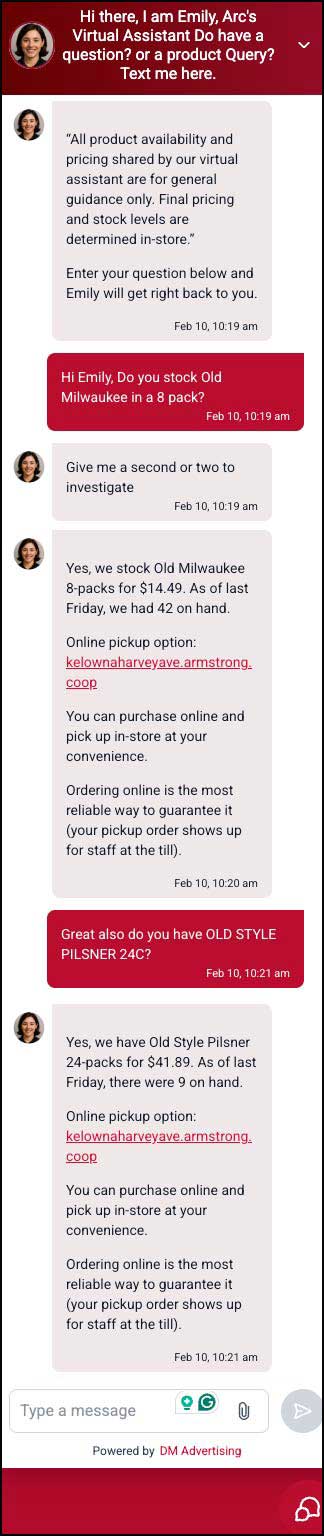

The limitation: we can’t reliably send direct product-page links (yet)
In a perfect world, the bot would send a one-click product link that lands customers directly on the exact item page.
The issue is that those product links require a product-number + slug (example shown in screenshot), and right now that product-number isn’t easily accessible/exportable from the Barnet system into our KB.
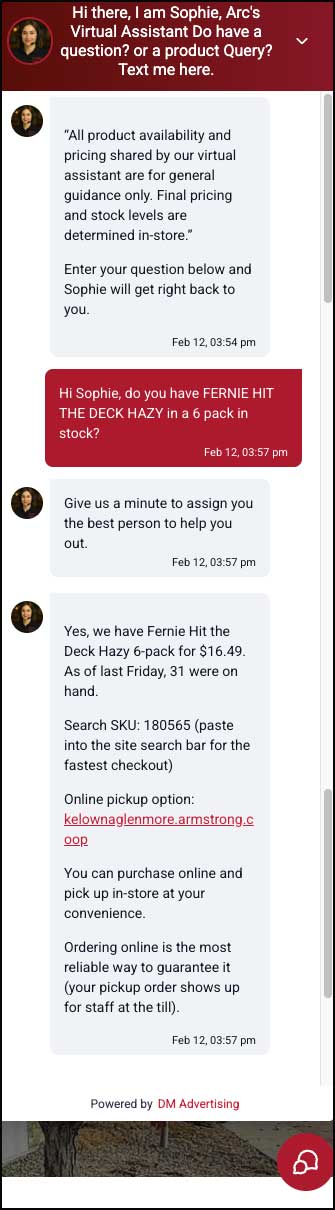
The breakthrough: use SKU as the “fast-find” key
We realized we already have something that can do most of the job of a direct product link: SKU.
By adding the SKU to our weekly inventory file and training the bot to include it in replies, we can now send customers:
- the correct store e-commerce link
- the Search SKU number
- a simple instruction: “paste this SKU into the search bar”
- That reduces the “find the product” part to essentially one action.
Proof: it works immediately in live testing
In the Glenmore test:
- Sophie confirms the product, price, and “as of last Friday” on-hand count
- Then she provides Search SKU: 180565 and the store link
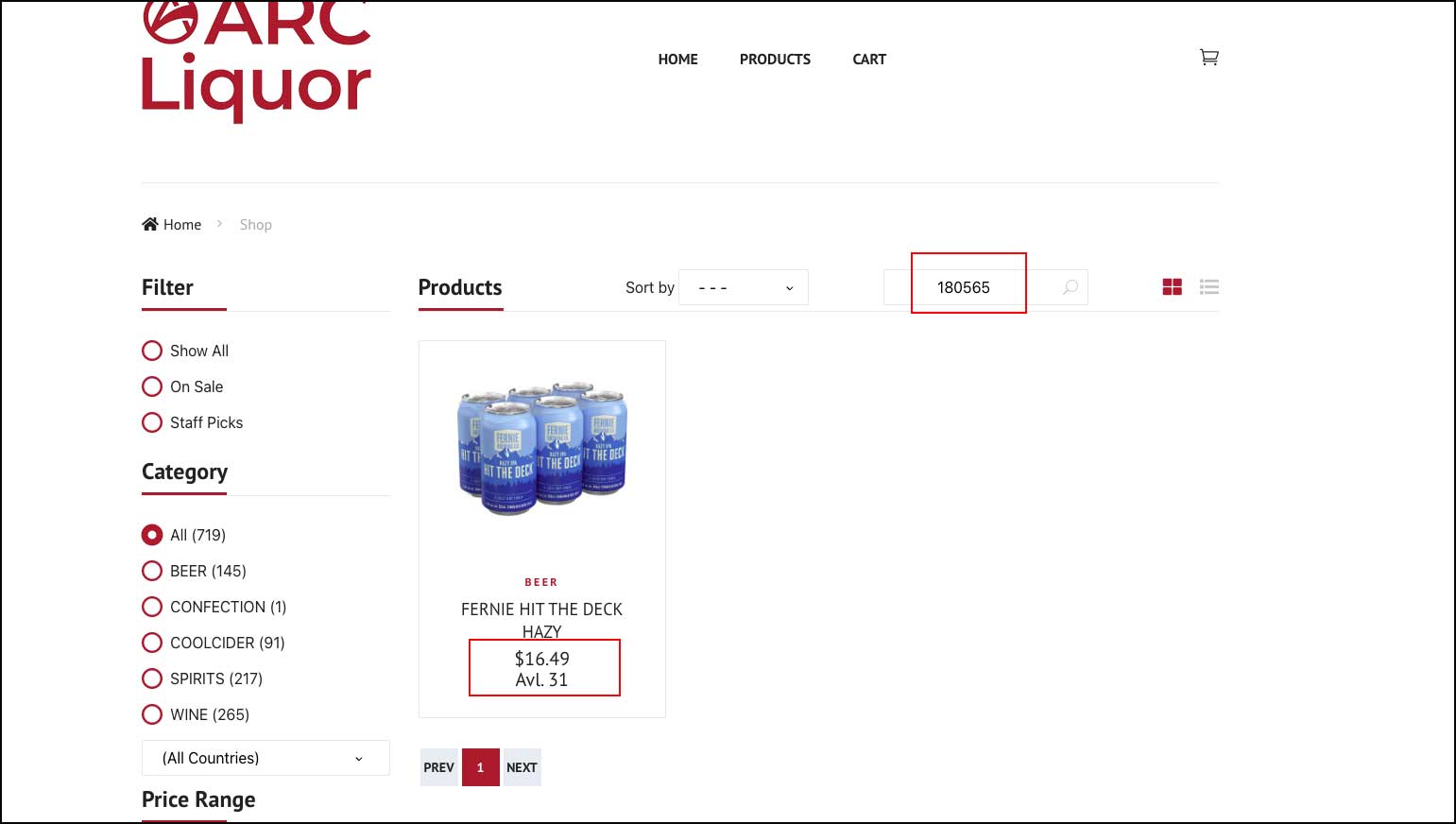
- The customer pastes SKU into the search bar
- The product appears instantly, ready to purchase

📌 What This Means for ARC Liquor
This upgrade strengthens three goals at once:
- Customer experience: less hunting, less confusion, faster checkout
- Operational clarity: no “hold requests” after management is offsite
- E-commerce conversions: customers are guided into a smoother purchase path
Bonus: this also works for Voice AI + Sommeliers
- The same SKU approach can be applied to our Voice Assistants and AI Sommeliers using a post-call SMS:
- the voice agent recommends bottles/items
- confirms the caller’s mobile number
- sends a follow-up text with store link + Search SKU for each item
That means voice calls don’t just “recommend” — they drive a clean next step toward checkout.